











How to Buy Bitcoin: Regional Guide
Updated for 2026: where to buy Bitcoin by region, move it to a wallet you control, and withdraw to Electrum.
How buying Bitcoin differs by region
Buying Bitcoin varies depending on your region, as each area has different exchanges, payment methods, and KYC (Know Your Customer) regulations. In this 2026 guide, we cover exchanges and payment rails in North America, Europe, Asia, Oceania, Africa, and South America. We’ll also explain how to withdraw Bitcoin to your Electrum wallet and "clean" it for privacy using Monero.
North America
USA
Canada
- Shakepay – Easiest for Interac e-Transfers.
- Bull Bitcoin – Non-custodial, privacy-focused.
- Bitbuy – Trusted platform for larger amounts.
Europe
SEPA transfers remain the gold standard for low fees in the Eurozone.
Oceania
Australia
- CoinSpot – Most popular local exchange, very easy to use.
- Swyftx – Low fees, excellent mobile app.
- Independent Reserve – Great for larger volume/OTC.
New Zealand
- Easy Crypto – Market leader, non-custodial (sends direct to wallet).
- Dasset – Good for advanced trading features.
Asia
High volume trading with diverse local payment methods (Alipay, UPI, etc).
Africa & South America
P2P and Mobile Money are dominant due to banking restrictions.
- Noones / Paxful – P2P marketplaces for gift cards & mobile money.
- Luno – Top choice for Nigeria & South Africa.
- Bitso – Leading exchange for Mexico & LATAM.
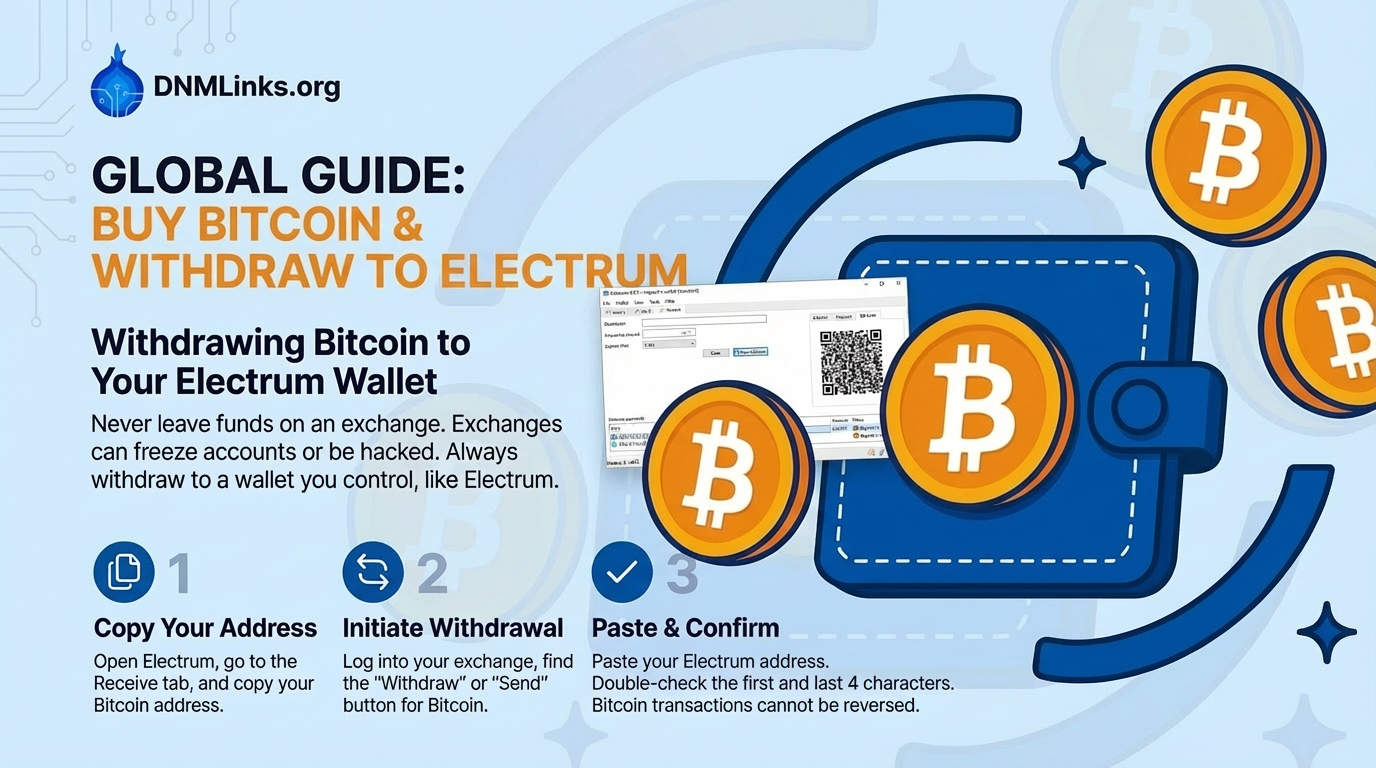
Withdrawing Bitcoin to Your Electrum Wallet
Never leave funds on an exchange. Exchanges can freeze accounts or be hacked. Always withdraw to a wallet you control, like Electrum.
Copy Your Address
Open Electrum, go to the Receive tab, and copy your Bitcoin address.
Initiate Withdrawal
Log into your exchange, find the "Withdraw" or "Send" button for Bitcoin.
Paste & Confirm
Paste your Electrum address. Double-check the first and last 4 characters. Bitcoin transactions cannot be reversed.
Security Best Practices
- Self-Custody: "Not your keys, not your coins." Move funds off exchanges immediately.
- Use 2FA: Enable Authenticator App (not SMS) 2FA on all exchange accounts.
- Privacy First: Exchange accounts are linked to your identity (KYC). Do not send funds directly from an exchange to a Darknet Market.
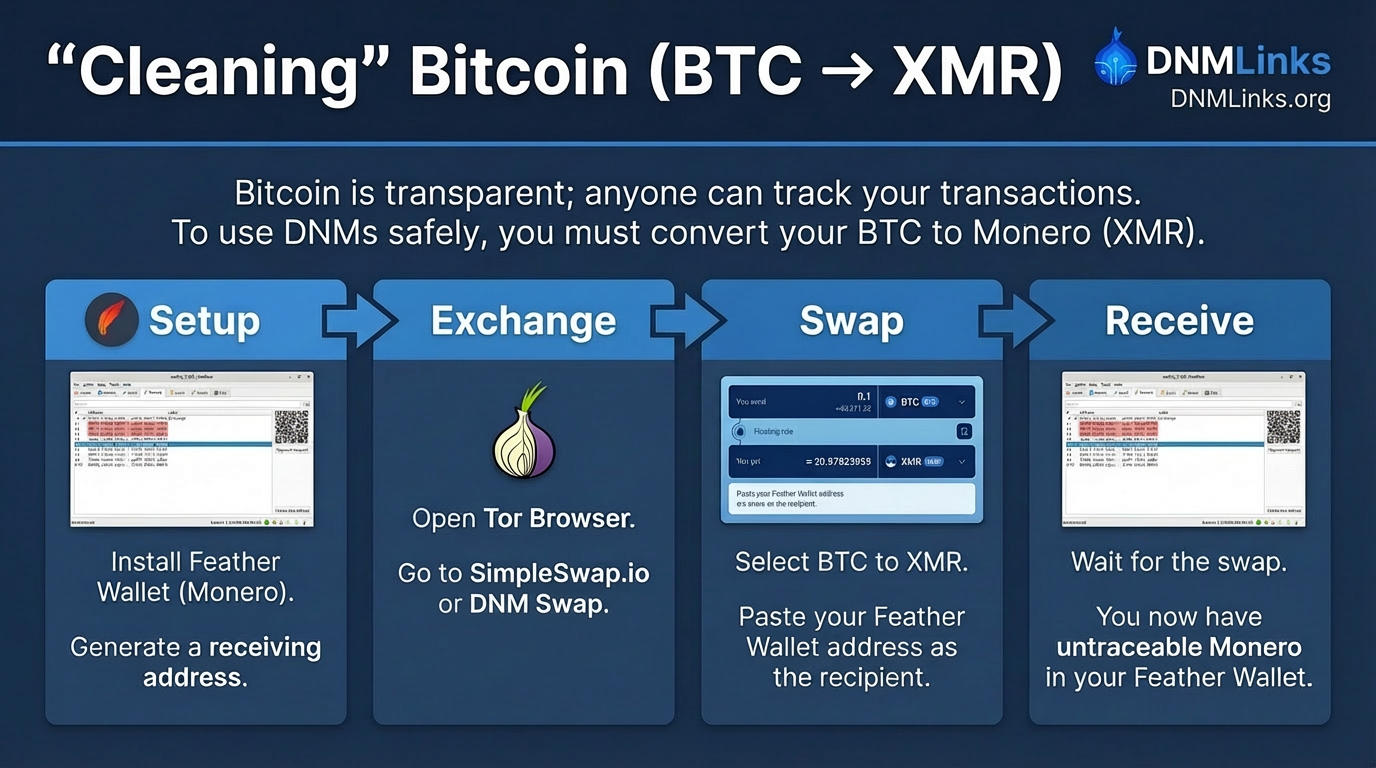
“Cleaning” Bitcoin (BTC → XMR)
Bitcoin is transparent: every payment you make stays readable on a public ledger, and an exchange withdrawal ties the first hop to your verified identity. Converting to Monero is how people break that chain, because Monero's amounts and participants are hidden by default rather than by convention.
The Workflow:
- Setup: Install a Monero wallet such as Feather (see our wallet guide). Generate a receiving address.
- Exchange: Open Tor Browser. Go to SimpleSwap.io or MajesticBank.
- Swap: Select BTC to XMR. Paste your Feather Wallet address as the recipient.
- Send: Send Bitcoin from your Electrum wallet to the address provided by the swap service.
- Receive: Wait for the swap to confirm. The Monero now sitting in your wallet has no public link to the Bitcoin you sent, though the swap service saw both sides of the trade.
After you buy Bitcoin
Buying Bitcoin is the first step, but securing it is the most important. By using a non-custodial wallet like Electrum and converting to Monero for privacy, you ensure your financial sovereignty in the digital age.
Back to Tutorials